⚡ flash-term
WezTerm · Windows 11 · PowerShell

The Windows terminal
that looks unreal.

Catppuccin glass, live wallpapers, and one command that installs your entire dev world.

flash-term is a WezTerm configuration plus the ft command: 3 glass styles × 3 scenes, a purple neon border, Mica backdrop, 21 managed CLI tools, 7 dev runtimes with zero Visual Studio, a local GGUF llama.cpp server on an OpenAI-compatible endpoint, and an AI coding harness one keystroke away.

irm https://8-sync-dev.github.io/flash-term/install.ps1 | iex
★ Star on GitHub
9 persisted looks21 CLI tools 7 dev runtimesno Visual Studio Rec.709 adaptive contrastllama.cpp /v1 467ms startupMIT
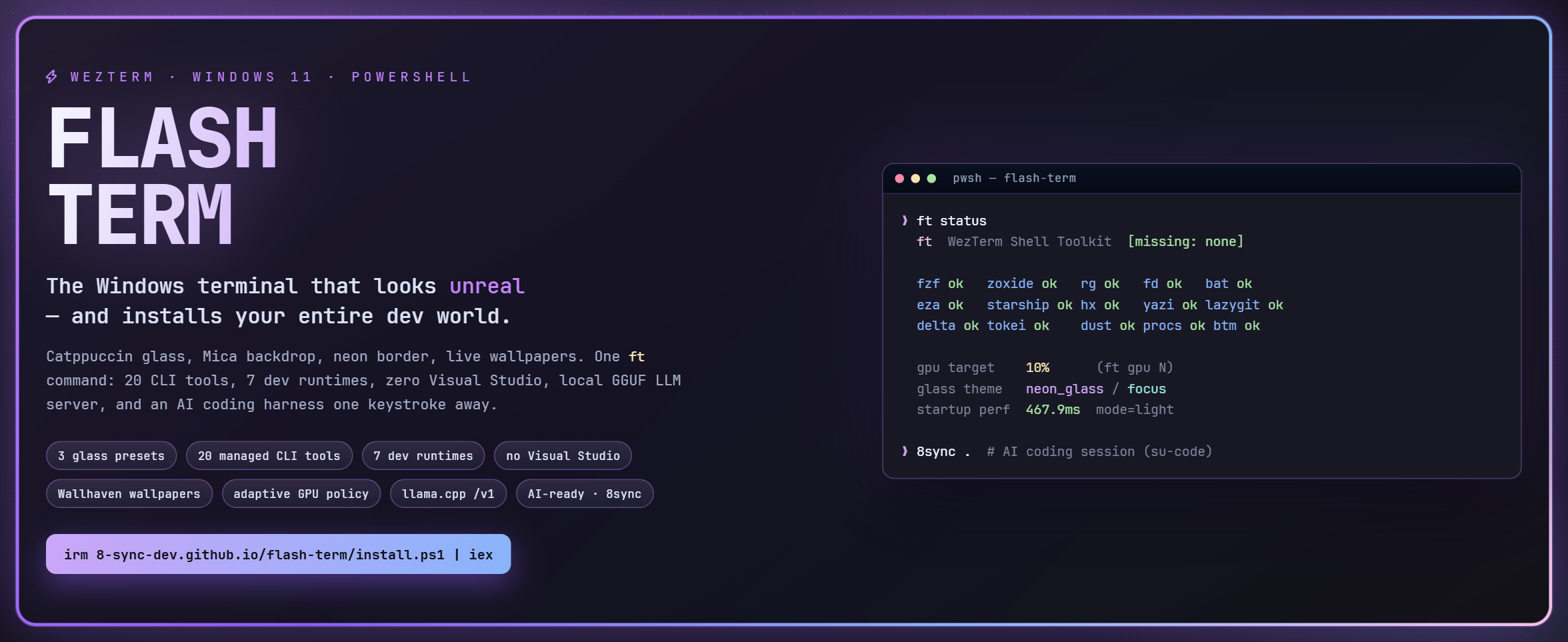
flash-term banner: FLASH TERM wordmark beside a live ft status terminal
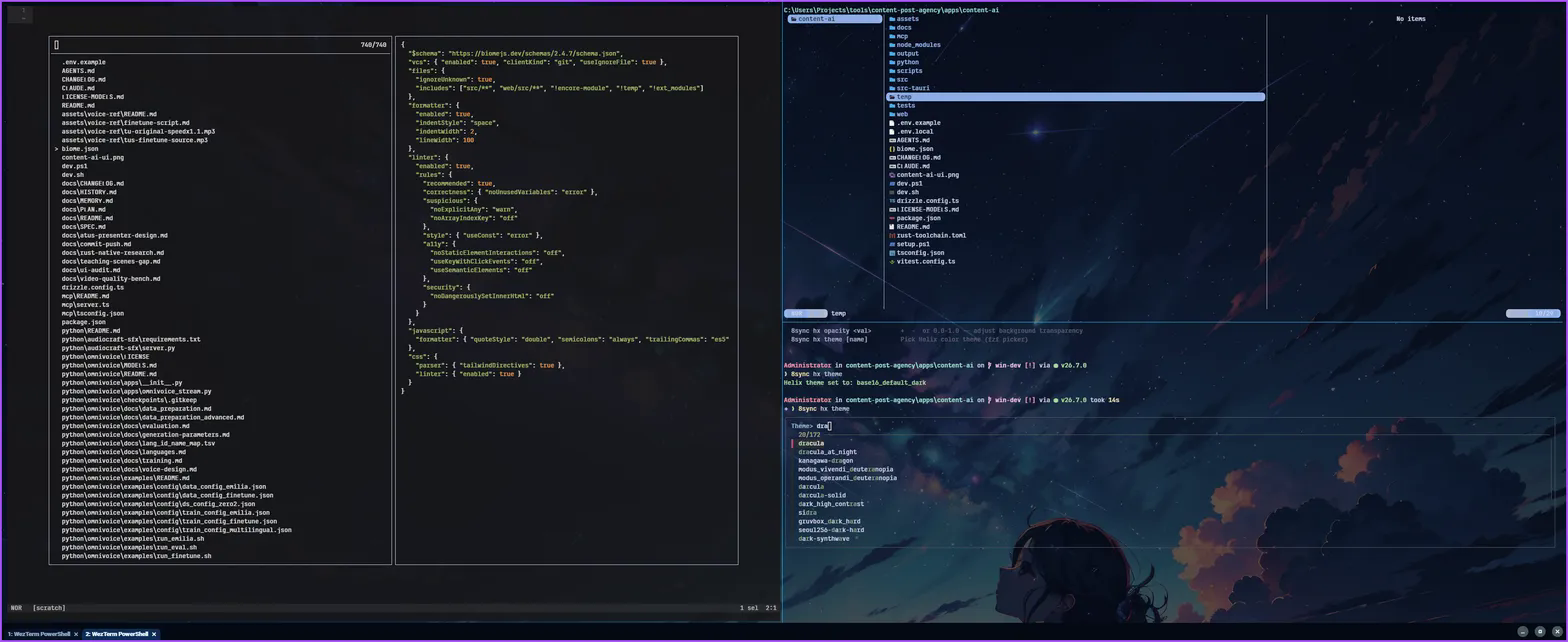
flash-term real usage screenshot: yazi file tree, Helix editor, theme picker, and anime wallpaper

Built for people who want both

Pretty and powerful, on Windows, without a build-tools detour.

LOOK

9 looks, one command

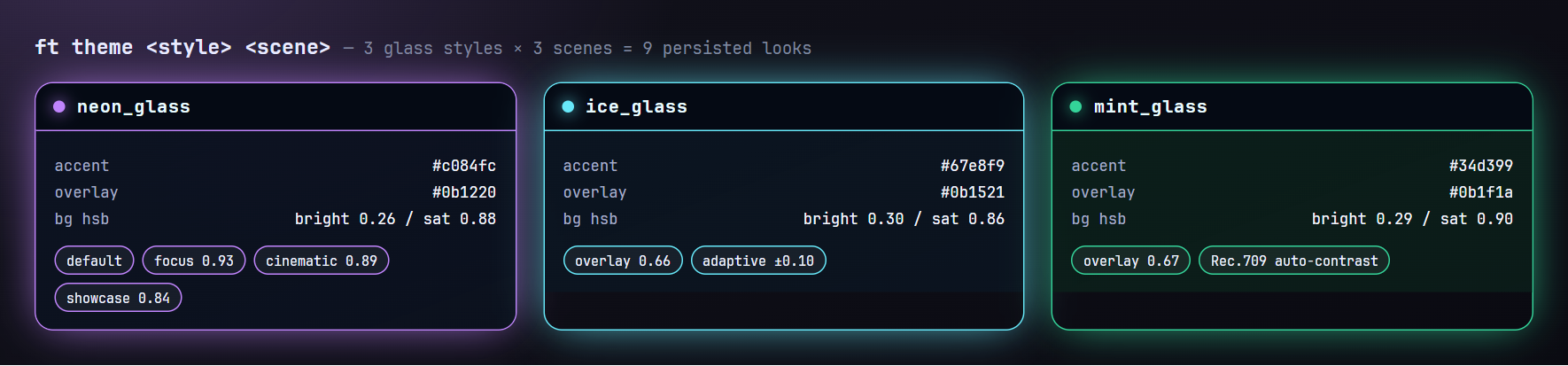
ft theme combines 3 glass styles (neon / ice / mint) with 3 scenes (focus / cinematic / showcase). State is persisted to tiny Lua files and hot-applied — no restart.

CONTRAST

Your wallpaper sets the overlay

Wallhaven's colour palette is averaged with Rec.709 luminance, bucketed bright / neutral / dark, and the glass overlay shifts so text stays readable after every wallpaper change.

SPEED

Startup is measured, not guessed

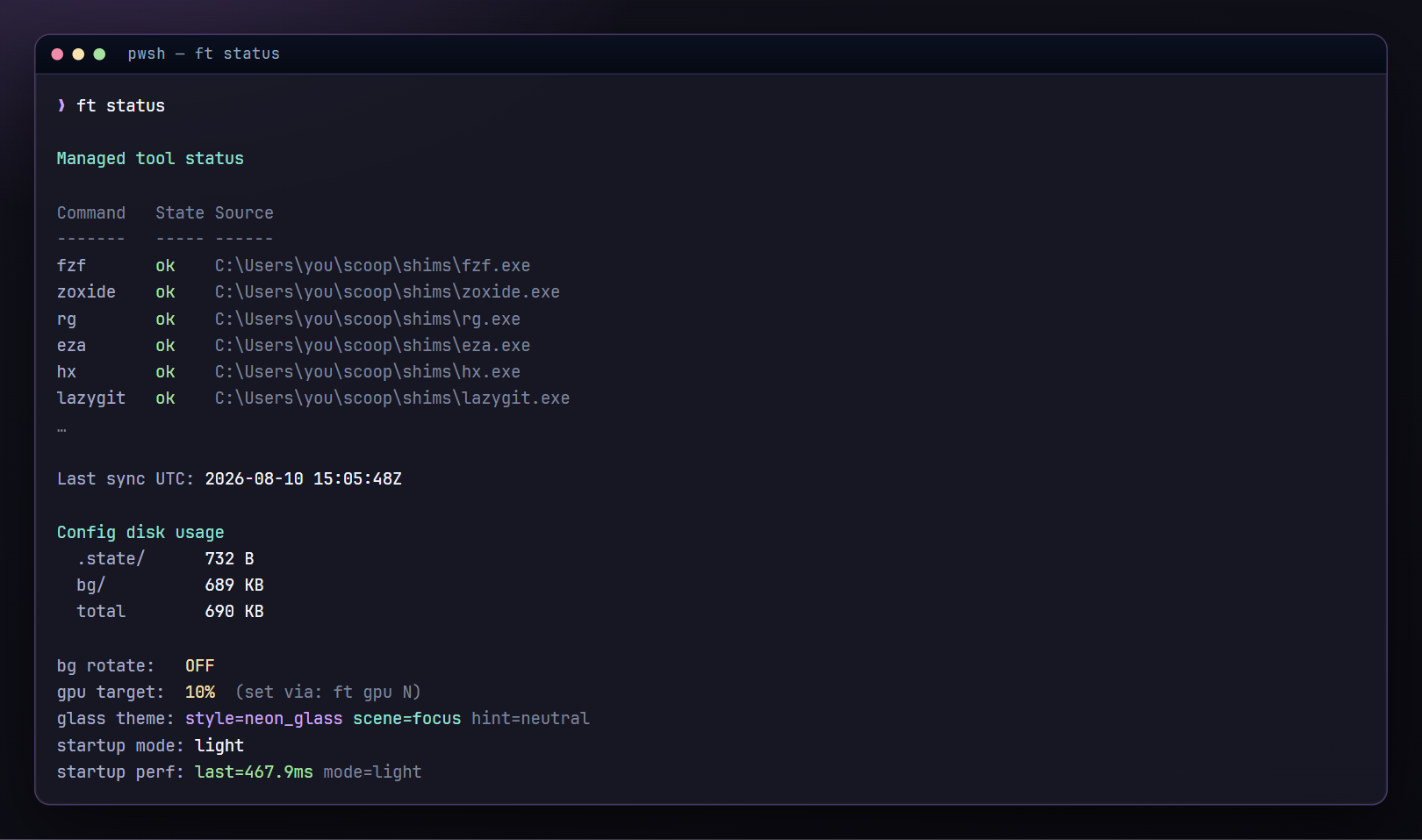
Eight named phases timed per boot into a 40-entry ring buffer, a 5-minute missing-tool cache, a 20-second cross-tab gate, deferred prompt init. ft status prints the last boot in ms.

BOOTSTRAP

Zero Visual Studio

Rust lands on the GNU/MinGW host triple with scoop gcc; Python arrives as prebuilt standalone CPython via uv. The two usual MSVC tripwires are engineered away.

RECLAIM

Cleaning that respects your code

50+ enumerated cache targets, three independent project/git guards re-checked before every delete, and --projects that physically cannot delete. Plus npm/cargo/pip vulnerability audits.

AI

Serve your own model

ft gguf serve --balance fits GPU layers and context to live free VRAM, backs off 20% above 75 °C, and exposes /v1 for any OpenAI-compatible client — including 8sync.

One line. Five stages.

The installer clones to %USERPROFILE%\.config\wezterm, then runs ft setup.

irm https://8-sync-dev.github.io/flash-term/install.ps1 | iex

[1/5] core tools on PATH        git · omp · wezterm resolution
[2/5] Scoop                     + WezTerm, JetBrainsMono NF, PowerShell 7, CompletionPredictor
[3/5] managed tools             21 CLI tools via Scoop
[4/5] dev runtimes              node · python · go · rust · chromium · encore · docker
[5/5] AI harness                su-code installer → the `8sync` command

ok ready — open WezTerm and run ft help

Flags: -ConfigDir <path> · -Update (pull only) · -NoSetup (config only) · -Branch / -Repo. Stage skips: --no-tools · --no-dev · --no-harness · --check.

Re-running the one-liner hard-resets to origin/main. Prefer ft up self if you keep local edits — it stashes and restores them around a fast-forward pull.

The ft command

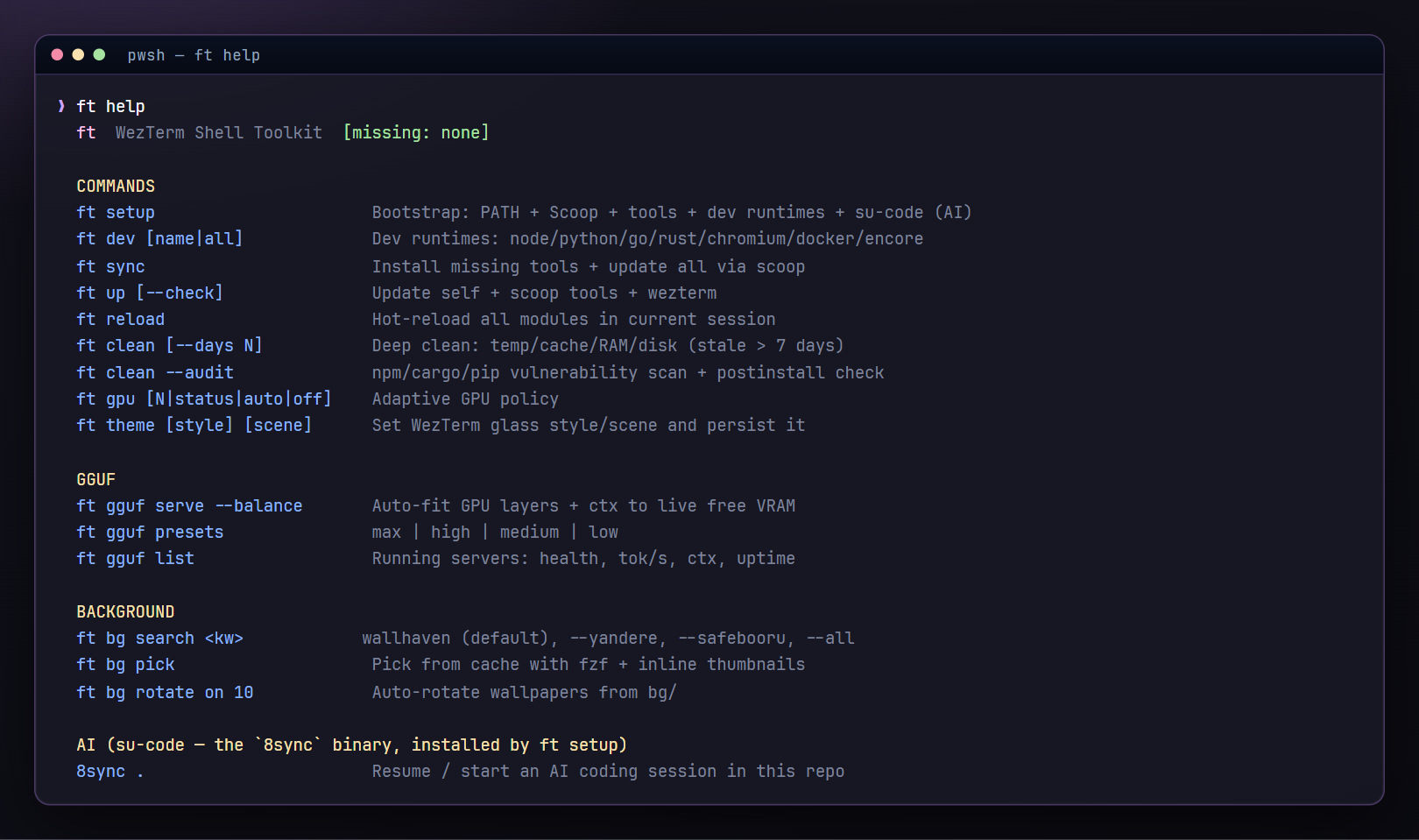
15 verbs, 10 sub-maps of tab completion, width-aware help.

VerbWhat it does
ft setupThe 5-stage bootstrap
ft sync [--check]Install missing + update 21 managed tools
ft up [sucode] [--check]Self ff-only pull, Scoop tools, su-code AI binary, WezTerm version
ft reloadHot-reload 14 modules into the live shell
ft dev allNode · Python · Go · Rust · Chromium · Encore · Docker
ft theme / ft gpuGlass style + scene · GPU/FPS policy
ft bg …Search, pick, set, rotate wallpapers
ft clean …Reclaim disk, audit the supply chain
ft gguf …Local llama.cpp server + chat
ft profile …Chrome-style isolated terminal profiles
ft hx …Helix theme, health, wrap, opacity
ft help output listing every flash-term command

Glass, persisted

Styles drive colour; scenes drive opacity; the wallpaper drives contrast.

neon_glass, ice_glass and mint_glass palettes
ft theme                    # current style + scene
ft theme ice_glass          # switch style
ft theme neon_glass cinematic
ft bg search cyberpunk city  # wallhaven, 4K+ only
ft bg pick                  # fzf + chafa thumbnails
ft bg rotate on 10

Three wallpaper providers (Wallhaven, yande.re, safebooru), SFW-only by design, 4K minimum in every query, and ft bg set copies your pick into the repo so the wallpaper travels with your config.

ft status showing managed tools, disk usage and startup timing

Local model, real solver

flash-term serves models. su-code (8sync) does the thinking.

ft gguf hint                                    # driver / CUDA / llama.cpp checklist
ft gguf serve --model-path model.gguf --balance  # fit layers + ctx to free VRAM
ft gguf list                                    # health, tok/s from /metrics, uptime
8sync .                                         # AI coding session in this repo
PresetGPU layersThreadsContextParallelBatchFlash-attn
max992327684512yes
high324163842256yes
medium16881921128
low0 (CPU)164096164
The endpoint binds 0.0.0.0 with no auth by default. Pass --host 127.0.0.1 on shared networks.

Honest caveats

Because a README that oversells costs you an afternoon.

Windows only

Windows 10/11, PowerShell 5.1+, Scoop and winget. Scoop install and disk TRIM/defrag want admin. Docker needs WSL2 and one GUI launch.

ft gpu N is two-state

≥10 → HighPerformance + 165 max FPS; <10 → LowPower + 120. It is a policy switch, not a utilisation floor.

Mica is present, not dominant

The shipped wallpaper and colour overlay sit on top of it. The translucency you see is mostly window_background_opacity. No acrylic/blur setting.

Rotation polls at shell start

Wallpaper rotation and the clean loop are startup polls, not scheduled tasks — an idle window never rotates.

ft clean deletes by default

Bare ft clean removes files older than 7 days. Run --dry-run first. node_modules, target/, vendor/ are never touched.

No AI code here

flash-term contains none. ft setup installs su-code, which owns the 8sync command.